
KDP Cover Size Calculator: KDP & IngramSpark (2026)

This calculator uses the official KDP formulas and current paper thickness values to give you exact dimensions before you open your design software. Enter your trim size, paper type, and page count. The numbers update instantly.
Bleed: 0.125" added to all outer edges on all results above.
Hardcover / case laminate: Wrap dimensions require platform-specific templates.
Use KDP's Cover Calculator or IngramSpark's Template Generator for hardcover files. Note: IngramSpark's Template Generator requires a logged-in IngramSpark account and an assigned ISBN before it will produce a file, KDP's does not.
How to Use Your Cover Dimensions
Quick Answer: Take the full cover width and height from the calculator and set those as your document size in Photoshop, Illustrator, InDesign, or Affinity Publisher at 300 DPI. Your artwork must extend to the outer edge of the document (the bleed area). Keep all text and critical elements at least 0.25″ inside the trim line. For KDP, download a template PDF with guides already marked from their Cover Calculator.
Once you have your dimensions, open your design application and create a new document at the full cover width and height shown above, at 300 DPI, in CMYK colour mode. The document edges represent the bleed boundary, your background artwork must reach them. The trim line sits 0.125″ inside the document edge on all sides. The safe zone for text and important imagery is a further 0.125″ inside that.
For spine text, KDP requires at least 79 pages. IngramSpark allows spine text from 48 pages. For most 32-page children’s picture books, the spine will be too narrow for any text, leave it a solid colour that matches your cover design.
If you are working in Canva, download the template PDF from KDP’s Cover Calculator and upload it as a background layer. Canva cannot create custom document sizes precisely enough for print without a template guide.
For IngramSpark, the calculator results on this page are close estimates. IngramSpark’s paper stock differs slightly from KDP’s, which means the spine width will differ even for the same paper type. Before uploading your final file to IngramSpark, always generate their official template using your ISBN through their Cover Template Generator. IngramSpark is stricter than KDP on file rejection, a spine that is even slightly off will be rejected.
Why KDP and IngramSpark Give Different Spine Widths
This is the most common mistake authors make when publishing wide. The trim size is the same. The interior PDF is the same. But the cover cannot be the same, because the spine width is calculated from the paper thickness, and the paper is physically different on each platform.
KDP uses Amazon’s own print facilities. IngramSpark uses Lightning Source, which is part of the Ingram Content Group network. Both use standard commercial paper grades, but the actual thickness per page differs enough to matter on any book over about 80 pages. On a 32-page children’s picture book the difference is negligible. On a 200-page activity book or workbook it adds up to a visible misalignment.
The practical rule: calculate your KDP cover from the KDP values in this calculator. For your IngramSpark cover, use the estimates here for initial planning, then generate IngramSpark’s official template before producing your final file. The two spine panels will be different widths, and both covers need to be designed to their own specification.
The Five Variables That Determine Your Cover Size
Every dimension your KDP cover size calculator produces is the result of five variables working together. Understanding each one makes it easier to catch errors before they reach the upload stage.
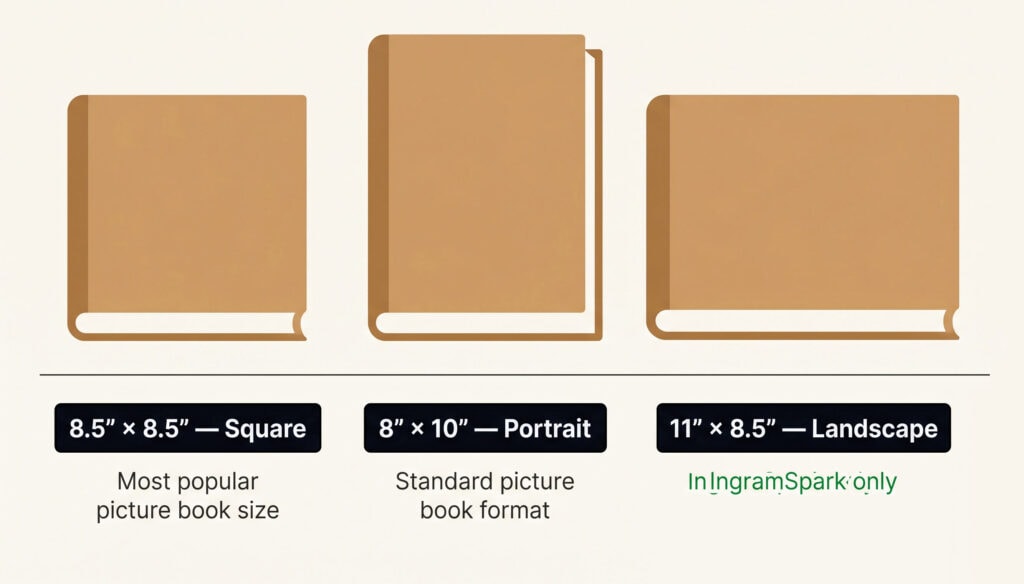
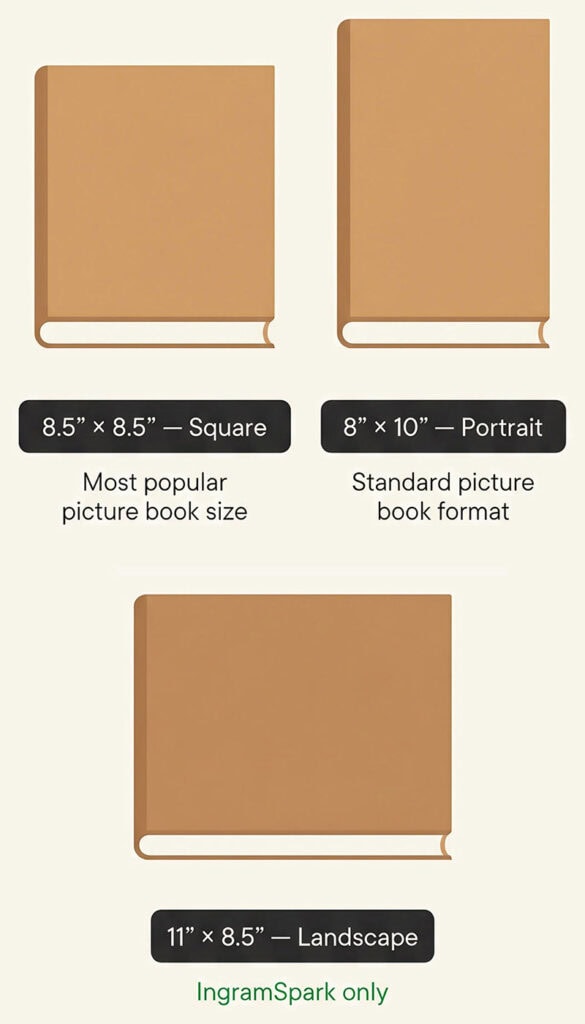
Trim width and trim height are the final dimensions of your printed book page after cutting. An 8.5″ × 8.5″ trim size means the finished book measures 8.5 inches square. Your cover file will be larger than this because of bleed and spine.
Spine width is calculated by multiplying your total page count by the paper thickness per page for your chosen paper type. The page count must include every page in the interior file — title page, copyright page, blank pages, and all content pages. Use the final exported PDF page count, not your word processor count.
Bleed is 0.125″ added to each outer edge of the cover — left edge of the back cover, right edge of the front cover, top, and bottom. It is not added to the spine edges. Artwork must extend to the bleed boundary so that slight variation in the trimming blade does not leave a white edge on the finished book.
Safe zone is 0.125″ inside the trim line on all sides. Keep all text, faces, logos, and critical imagery within this boundary. For spine text, stay at least 0.0625″ away from each spine edge — spine text sits in a narrow panel and any drift during binding will cut it off.
Paper type is the variable most authors overlook. Standard white paper is the thinnest option. Cream paper is slightly thicker. Standard color paper, used for coloring books and activity books, is significantly thicker at 0.0032″ per page. Premium color sits between the two. Selecting the wrong paper type in your spine calculation will produce a cover that does not fit the printed book.
FAQ KDP Cover Size Calculator
What is bleed and why does my cover file need it?
Bleed is an extra 0.125 inches of artwork that extends beyond the trim line on every outer edge of your cover. During printing, the blade that cuts the book to its final size can drift slightly. If your background colour or artwork stops exactly at the trim line, that drift creates a white border on the finished book. Extending your artwork into the bleed area ensures the cover looks clean regardless of minor cutting variation. Both KDP and IngramSpark require 0.125 inches of bleed on all outer edges for paperback covers
Can I use the same cover file for KDP and IngramSpark?
How do I know my final page count for the spine calculation?
Use the page count from your exported, print-ready interior PDF, not from your word processing document. Word processors often add or remove blank pages during export to ensure the book ends on an even page number. The final PDF page count is the number that KDP and IngramSpark use to calculate spine width, and it is the number that must go into your cover calculation.
Can I put text on the spine of a 32-page children's picture book?
What colour mode should I use for my cover file?
Design in CMYK from the start if you are publishing on IngramSpark, which requires CMYK with a 240 percent total ink limit. KDP accepts RGB files and converts them automatically, but colour shifts can occur during conversion, particularly in bright greens, blues, and oranges. Designing in CMYK from the beginning ensures the colours you see on screen are close to what will print on both platforms.
What resolution does my cover file need to be?
300 DPI at the full cover dimensions including bleed. This applies to the entire document, not just the images within it. Set your document to 300 DPI when you create it, before placing any artwork. Upscaling a low-resolution file to 300 DPI after the fact does not add detail and will still appear blurry in KDP’s print previewer.
Need a cover illustration that fits these dimensions from the start?
I illustrate children’s book covers designed for print from the first sketch, correct bleed, correct safe zones, correct colour profile. If you are planning a picture book, activity book, or coloring book and want the illustration and the technical specification to work together rather than against each other, the best starting point is a free custom spread request.
Already know what you need? View Packages & Pricing, Schedule a Consultation
For more on the self-publishing process, the how to self-publish a children’s book guide covers trim size selection, page count decisions, and print-on-demand platform comparison in full. If you are considering turning your book into an app after publication, our book to app conversion service handles the full transition from print to interactive format.
New to commissioning cover art? My guide on how to hire a picture book illustrator walks through costs, portfolios, and what to confirm before you start.
